
The most visual way to design your database
Create intuitive database diagrams. Define tables, relationships, and work in teams. Zero complexity, maximum productivity.
MySQL, PostgreSQL, SQLite, and Laravel Migration

Support for many databases
Compatible with leading relational databases and technologies
Visual modeling, collaboration and productivity
Everything you need to design professional databases visually and collaboratively.
Visual tables
Create tables with fields, types, and constraints visually and intuitively on the canvas.
FK relationships
Visualize and create foreign keys connecting tables in the diagram.
Table groups
Organize tables into colored, resizable, nameable groups.
Notes (Sticky Notes)
Add notes and documentation directly on your diagram.
Themes and appearance
Dark mode, light mode, and diagram styles (colorful or neutral).
Teams and members
Organize diagrams in teams, invite members, and define roles (editor/viewer).
SQL and Laravel import
Import schemas from SQL (MySQL) or Laravel Migration files.
Public link
Share diagrams via public link with no login required to view.
Favorites
Star diagrams for quick access from the dashboard.
From idea to diagram
in minutes
Four simple steps to create, connect, and share your database schemas professionally.
Create your team
Set up your team and manage permissions for efficient collaboration.
Build the diagram
Model your database visually—tables, fields, and relationships on an intuitive canvas.
Import your schema
Bring your existing structure quickly with SQL or Laravel Migration import.
Share
Generate a public link and share the diagram without requiring login.
See CraftDB in action
From canvas to collaboration: see how it feels to model, import, and share your databases.
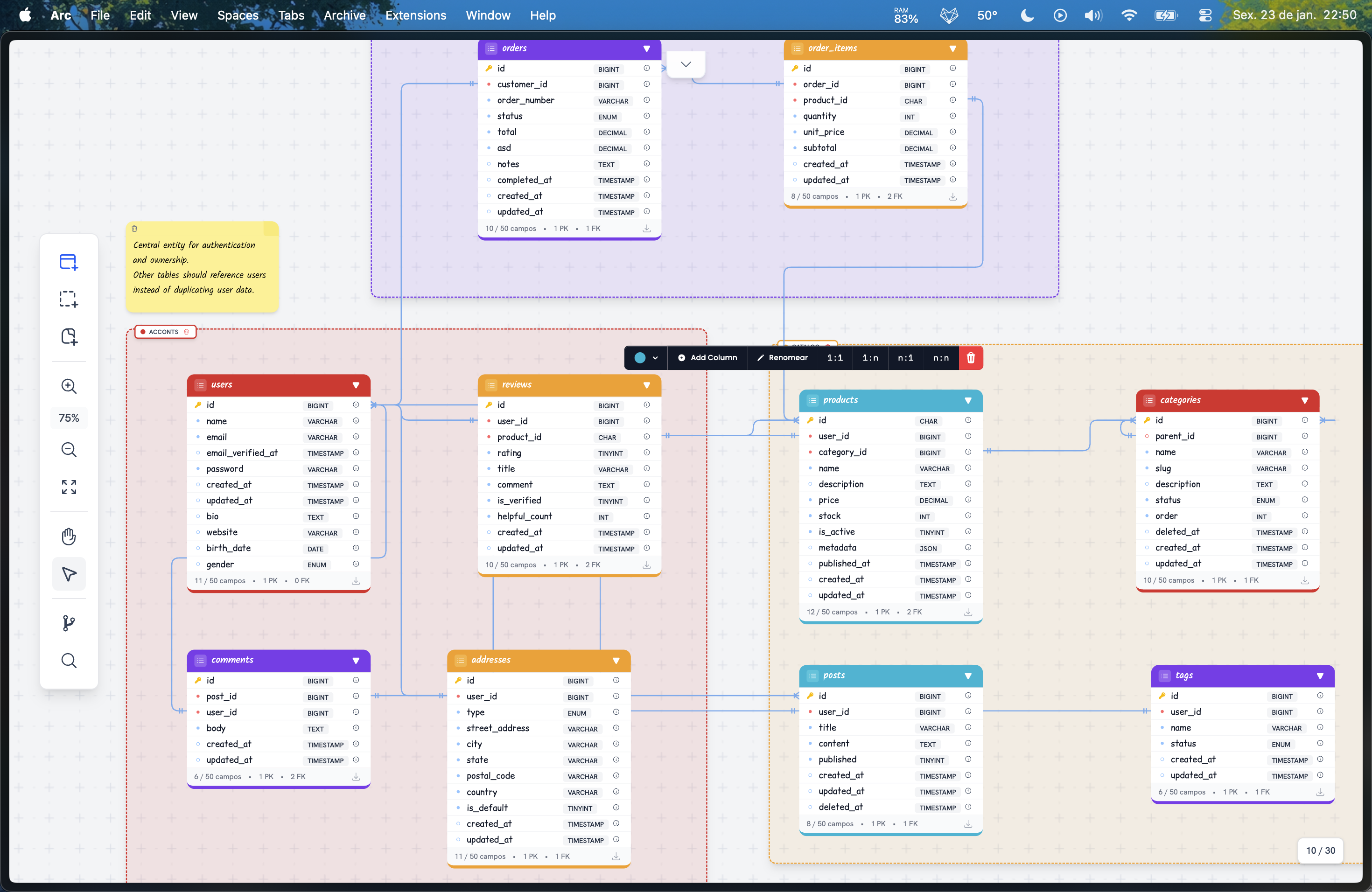
Foreign key dependency graph
Visualize your database foreign keys as an interactive graph and instantly see the dependencies between tables—ideal for understanding the impact of schema changes.
- Interactive relationship graph
- FK dependencies per table
- Full diagram overview
SQL and Laravel Migration import
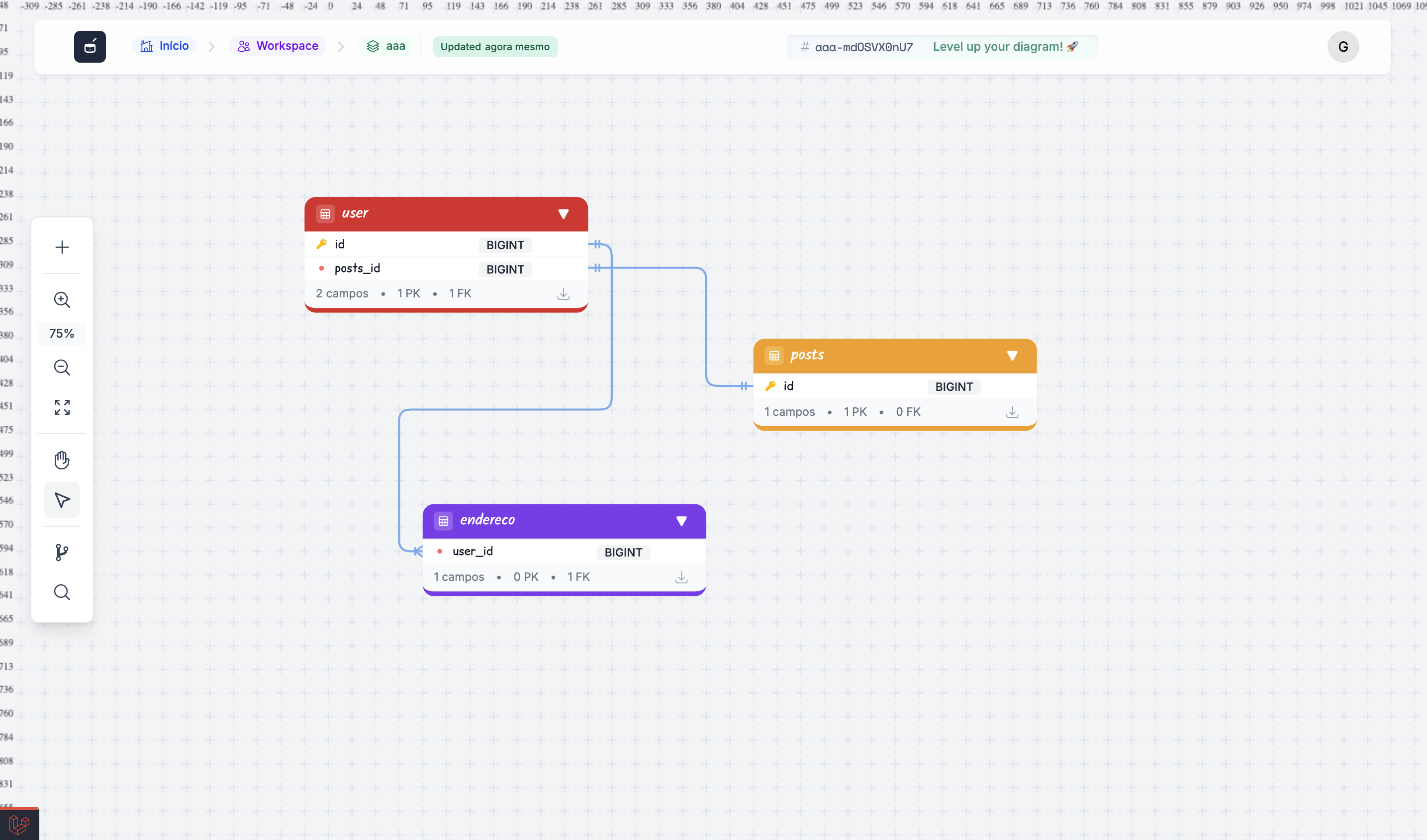
Already have a schema? Bring it in seconds by importing a SQL file (MySQL) or your Laravel Migrations. CraftDB detects tables, fields, and relationships automatically.
- Import .sql (MySQL)
- Import Laravel Migration files
- Automatic foreign key detection
Team collaboration
Organize diagrams by team, invite members with editor or viewer roles, and work together on the same schema. Share a public link when you need to show it to someone outside.
- Teams with roles (editor / viewer)
- Multiple members on the same diagram
- Public link with no login required
Simple pricing, no surprises
Start free and scale as you need. No credit card required to get started.
Hobby
For personal projects and learning.
- 3 diagrams
- Individual use
- Public diagram links
- Email support
Pro
≈ R$25/month
For developers and freelancers who need more.
- Unlimited diagrams
- Unlimited tables per diagram
- SQL / Laravel Migration import
- Public diagram links
- Areas, Sticky Notes, Graph View
- Individual use (no teams)
- Priority support
Team
≈ R$50/month
For teams working together on schemas.
- Everything in Pro
- Up to 25 users per team
- Multiple teams
- Per-member permissions (viewer, editor, owner)
- View history
- Dedicated support
Frequently asked
questions
Get answers about CraftDB.
SQL export is in development. Today you can import schemas from SQL files (MySQL) and Laravel Migration files.
For import: SQL (MySQL) and Laravel Migration files. CraftDB supports visual modeling for MySQL, PostgreSQL, and SQLite. More formats are coming.
You create a team, invite members by email, and assign each person a role (editor or viewer). Diagrams are organized by team, and you can share a public link with people who do not have an account.
Yes. Import from SQL (MySQL) files or Laravel Migration (.php) files. CraftDB detects tables, columns, and relationships automatically.
Yes—all diagrams are saved in the cloud. Access them from any device with your account.
Yes. There is currently a limit of 30 tables per diagram to keep canvas performance smooth.
CraftDB works online only for now. Data lives in the cloud and you need internet to access and edit.
No. You can create an account and use the free plan without entering a credit card.